Here at How? NERD you will find Computer tips & How to `s and read latest Game Reviews.
Get your articles featured on How NERD. Just send your Article or Review through our Contact Us Page.


Showing posts with label Windows 8. Show all posts

How to Access Windows 8 Network

If you're on a shared Wi-fi network with other computers in Windows 8, you can access these computers and anything they share with the network using simple controls.

How to Access Windows 8 Games

The "Games" section accessible from the Start menu in Windows 8 makes it easy for you to start playing some free games right from you Windows 8 device.


How to Access the Windows 8 Store

The app store on Windows 8 makes it easy to download free apps for your pc, just like you would on your smartphone.


How to Access Video on Windows 8

You can access a built in "video app" in Windows 8 that lets you rent and buy movies right from the Start menu.


How to Access SkyDrive in Windows 8

Sky Drive is a way to keep all of your files in the "cloud" in Windows. You can access it easily from the Windows 8 Start screen.


How to Access Metro Style Apps Installation Folder in Windows 8

Windows 8 contains dozens of built-in Metro style apps. These apps run almost perfectly but, if you are a developer or regular user and want to change the core files of these app you need to go to the installation files of those apps in-order to change something. Seems simple! But, it is not. You don’t have access by default to go to the applications folder and you are denied access to that folder by Windows.


How to Access Command Prompt and Run in Windows 8

Windows 8 as we know is new and kind of unusual. It has been our desire to have an OS like Windows 8, but the CMD and RUN is kind of difficult to find. Just read on; you'll know all you need to know in order to quickly access that CMD and Run which gives you the power to do more on the computer.


How to Sideload a Modern UI App on Windows 8

Sideloading a Modern UI app means to install it without using the Windows Store. This is typically done to beta test an app. This handy guide will teach you how to sideload a Modern UI app on Windows 8. Note that you need a developer license to sideload apps on your PC.


How to Use Windows 8

Windows 8 is the next generation of Microsoft Windows operating systems. Many of its features are essentially the same as Windows 7, but designed to be more mobile friendly and streamlined.


How To Open an Elevated Command Prompt in Windows 8 & 8.1

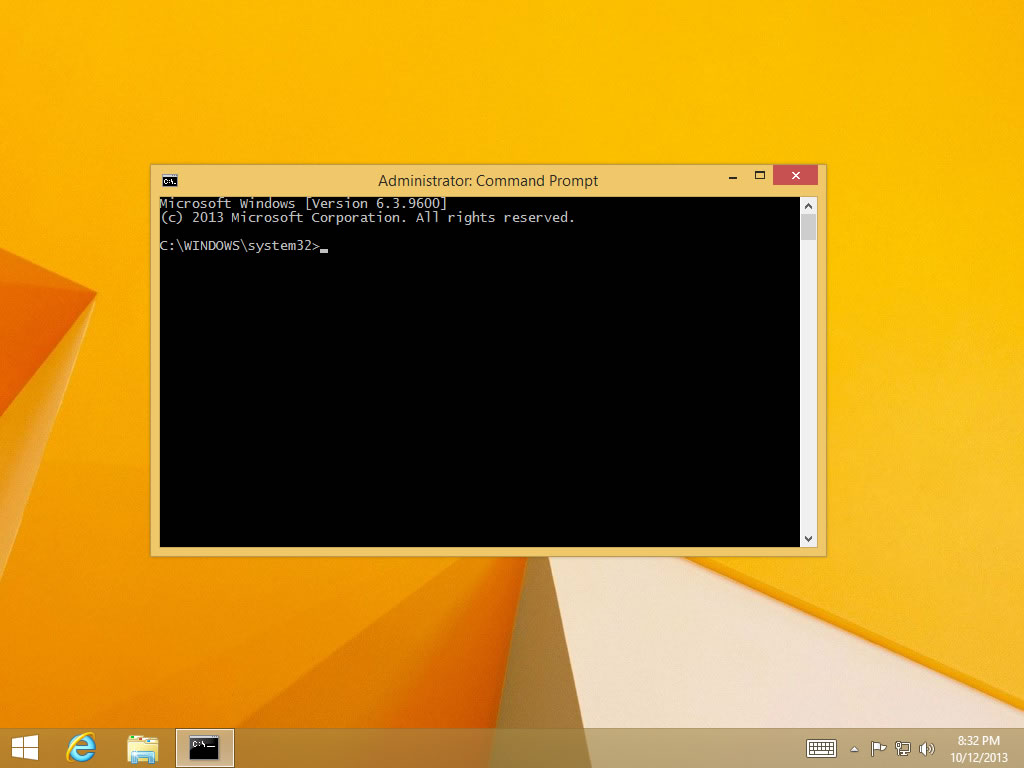
Some commands, like the sfc command and the manage-bde command, can only be executed from within an elevated Command Prompt in Windows 8. An elevated Command Prompt simply means running the Command Prompt program with administrator privileges.

How To Open Command Prompt in Windows 8 & 8.1

The Command Prompt in Windows 8 is the command-line interface program that's used to execute commands. Some popular Windows 8 commands include ping, netstat, tracert, dir, attrib, and many more.

How To Find Your Windows 8 or 8.1 Product Key

As you may be finding out, probably half way through reinstalling Windows 8, you must have your product key to continue the installation.

How To Boot to the Desktop in Windows 8.1

When Windows 8 was first released, the only way to boot directly to the Desktop was to employ some registry hack or install a program that does the same.


How To Change Windows Update Settings in Windows 8 & 8.1

Windows Update is certainly the best way to keep Windows 8 updated with the latest patches and service packs. However, you do have several options when it comes to configuring how updates are downloaded and installed.

How To Update Drivers in Windows 8 or 8.1

You'll have to update drivers in Windows 8 when a hardware device doesn't install automatically, like after a Windows 8 clean install.


How to Hack Any Windows Without Any coding

You might need to access an account on windows which's password you might have forgotten. Well the easiest way is to hack the account without creating any backups and all that system recovery etc.
Remember in case of windows 8 the account has to be local, if you are logging in with your microsoft password it cannot be cracked by it.

How to Change from Windows 8 Back to Windows 7

Windows 8 is the latest in the line of Microsoft’s operating systems. It showcases several new features including the all-new desktop interface. However, not everyone can adapt to this new system, and some would still prefer Windows 7 over it. If you’re one of those people who upgraded, or using Windows 8 but would like to go back to 7, then scroll down to step 1.

Installing Windows 8/8.1 From USB Tutorial

The need to install Windows 8 or Windows 8.1 from a USB device, like a flash drive, is a common one these days.

How To Create an ISO Image File From a CD, DVD, or BD

 Creating an ISO file from any disc is pretty easy with the right free tool and is a fantastic way to backup important CDs, DVDs, or BDs to your hard drive.